Webhooks
Receive signed HTTP callbacks when a vector store file batch finishes, instead of polling for its status.
Webhooks notify your application when a vector store file batch reaches a terminal status, so you don't have to repeatedly poll GET /v1/vector_stores/{vector_store_id}/file_batches/{batch_id} to find out when files are ready.
Configure a Webhook Endpoint
A project can have multiple webhook endpoints. Each one has its own URL, secret, and event scope, so different destinations can receive different events without sharing a secret. Add an endpoint with POST /v1/organization/projects/{project_id}/webhooks:
curl -X 'POST' \
  "https://deepfellow-server-host/v1/organization/projects/68da445c5186deb8bca2bde9/webhooks" \
  -H "Authorization: Bearer DEEPFELLOW_ORGANIZATION_API_KEY" \
  -H 'Content-Type: application/json' \
  -d '{
  "url": "https://your-app.example.com/webhooks/deepfellow"
}'
import requests
response = requests.post(
"https://deepfellow-server-host/v1/organization/projects/68da445c5186deb8bca2bde9/webhooks",
json={
"url": "https://your-app.example.com/webhooks/deepfellow",
},
headers={
"Content-Type": "application/json",
"Authorization": "Bearer DEEPFELLOW_ORGANIZATION_API_KEY",
},
)
print(response.json())const response = await fetch(
'https://deepfellow-server-host/v1/organization/projects/68da445c5186deb8bca2bde9/webhooks',
{
method: 'POST',
headers: {
'Content-Type': 'application/json',
Authorization: 'Bearer DEEPFELLOW_ORGANIZATION_API_KEY'
},
body: JSON.stringify({
url: 'https://your-app.example.com/webhooks/deepfellow'
})
}
);
const data = await response.json();
console.log(data);url must be an HTTPS URL that doesn't target localhost or a private, loopback, link-local, or otherwise non-public address.
By default, an endpoint receives every event type. To scope it to a subset, set events to a list, such as ["vector_store.file_batch.completed"], instead of the default "all".
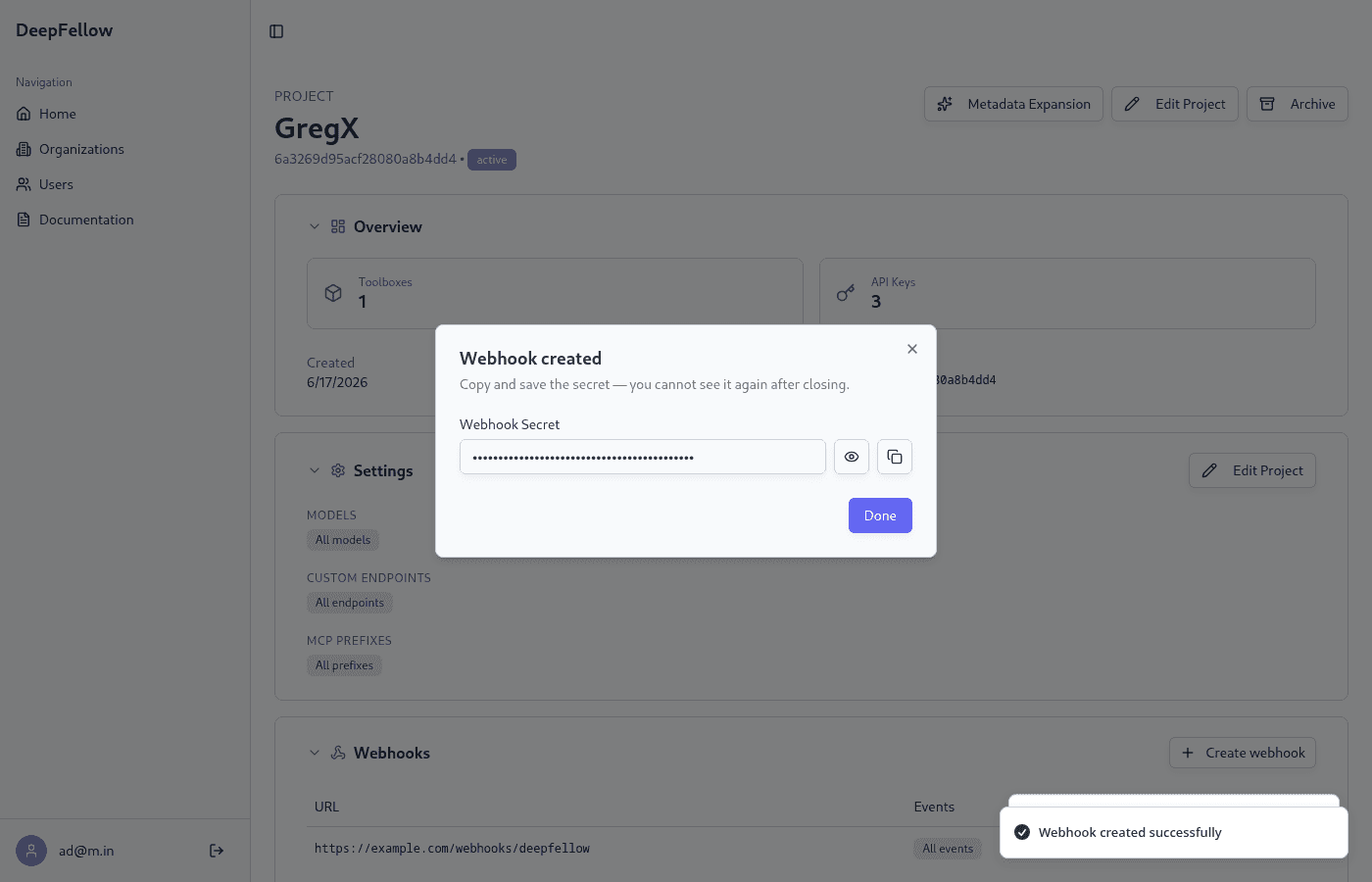
If secret isn't set alongside url, DeepFellow generates one automatically. The response to endpoint creation is the only place the plaintext secret is ever returned:
{
    "id": "68ee6e646fef807dd40b2f90",
    "object": "organization.project.webhook_endpoint",
    "url": "https://your-app.example.com/webhooks/deepfellow",
    "secret": "whsec_2b6b8b7a7e...",
    "events": "all",
    "created_at": 1760449090
}
GET /v1/organization/projects/{project_id}/webhooks lists a project's webhook endpoints, and GET .../webhooks/{webhook_id} retrieves one – neither ever includes the secret. Store the plaintext value from the creation response: it's needed to verify incoming deliveries.
Anyone who has an endpoint's secret can forge deliveries to it. Store each secret the same way you'd store an API key.
To rotate an endpoint's secret, or change its url or events, send PUT /v1/organization/projects/{project_id}/webhooks/{webhook_id} with a new secret. Rotating the secret reveals the new plaintext value in that response, the same way creation does. To stop receiving webhooks at an endpoint, delete it with DELETE /v1/organization/projects/{project_id}/webhooks/{webhook_id}.
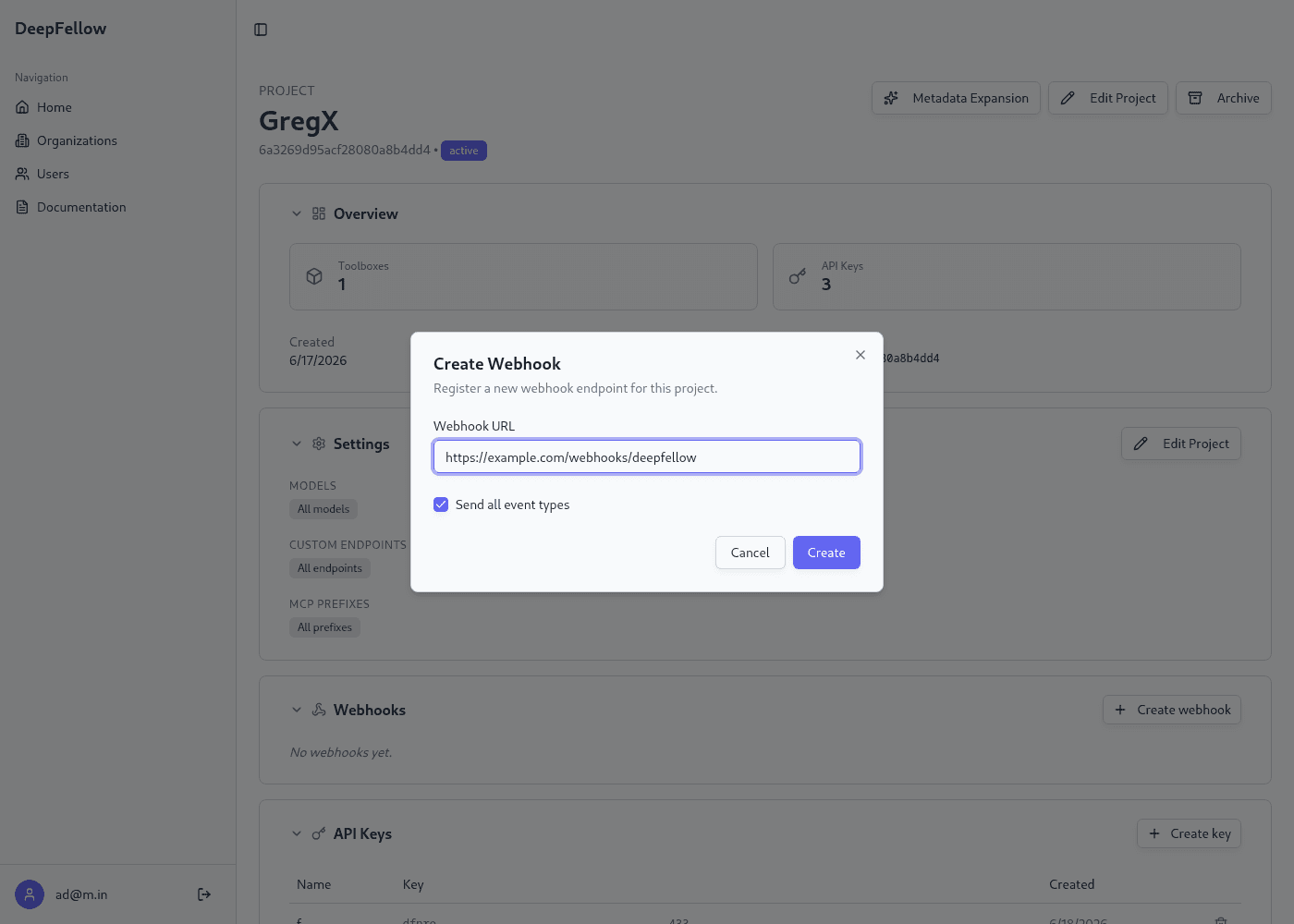
The Web Panel offers the same actions from a project's page, in its "Webhooks" section. Click "Create webhook", enter a URL, and choose which event types the endpoint receives:
The next pop-up shows the generated secret, and the new endpoint appears in the list below it:
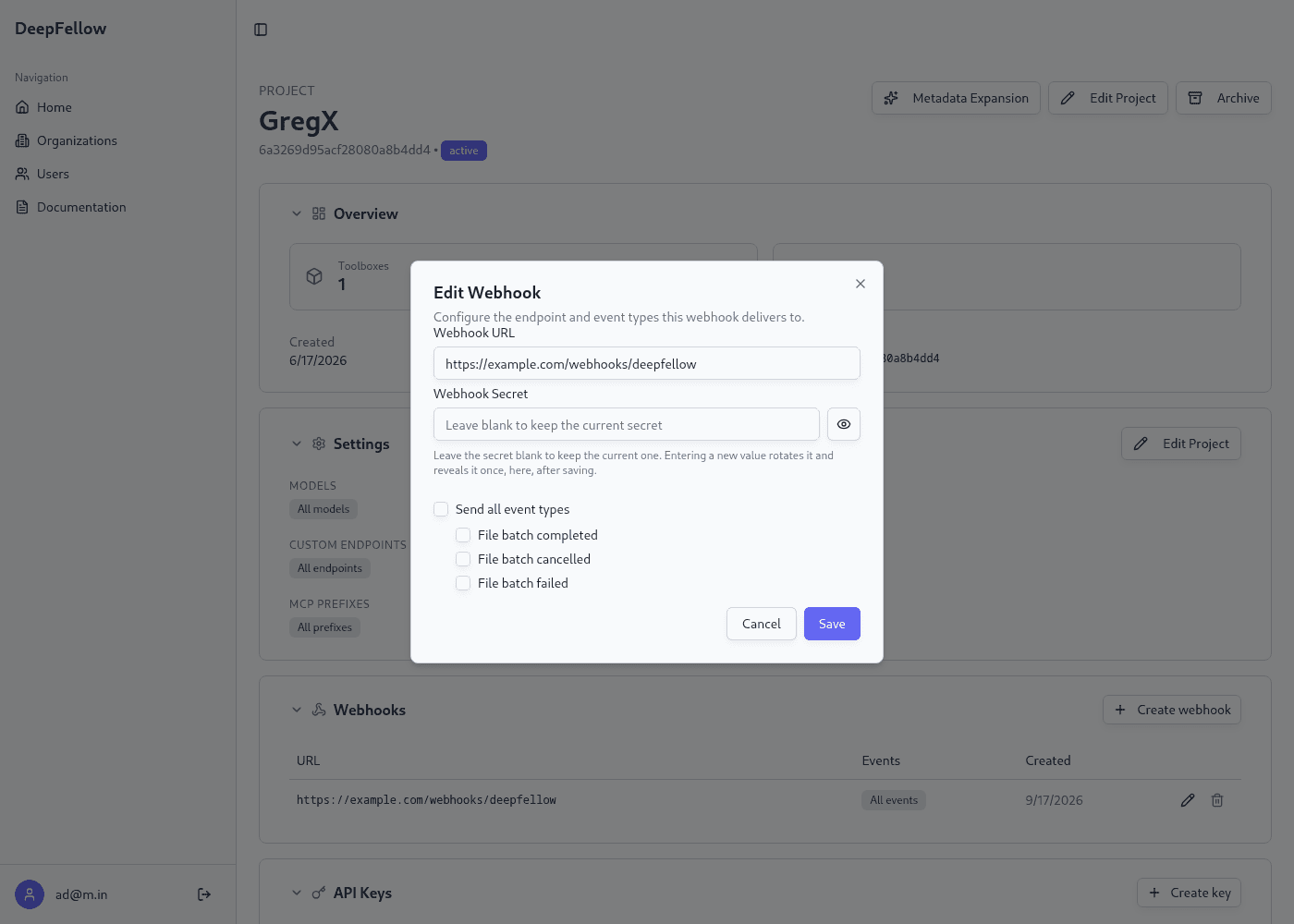
To edit an endpoint, click the pencil icon in its row. Leave "Webhook Secret" blank to keep the current secret, or enter a new value to rotate it:
Events
DeepFellow sends a webhook for each of these vector store file batch lifecycle events:
vector_store.file_batch.completed: every member file reached a terminal status, and at least one completed.vector_store.file_batch.cancelled: no member file completed, and at least one was cancelled.vector_store.file_batch.failed: every member file failed.
Verify and Parse a Delivery
Each delivery is an HTTP POST to the endpoint's url, matching OpenAI's webhook conventions (the same envelope and headers used by Svix):
{
    "id": "evt_68ee6e656fef807dd40b2f84",
    "object": "event",
    "created_at": 1760449093,
    "type": "vector_store.file_batch.completed",
    "data": {
        "id": "68ee6e646fef807dd40b2f83",
        "object": "vector_store.file_batch",
        "vector_store_id": "68ee6e626fef807dd40b2f80",
        "project_id": "68da445c5186deb8bca2bde9",
        "status": "completed",
        "file_counts": {
            "cancelled": 0,
            "completed": 2,
            "failed": 0,
            "in_progress": 0,
            "total": 2
        },
        "created_at": 1760449090
    }
}
Every delivery carries these headers:
webhook-id: a unique ID for this delivery attempt.webhook-timestamp: the Unix timestamp (in seconds) the delivery was signed at.webhook-signature:v1,SIGNATURE, an HMAC-SHA256 signature over{webhook-id}.{webhook-timestamp}.{raw request body}, computed with the endpoint's secret and base64-encoded.
To verify a delivery, recompute the signature the same way and compare it to webhook-signature:
import base64
import hashlib
import hmac

def verify_webhook(webhook_id: str, timestamp: str, body: bytes, signature_header: str, secret: str) -> bool:
    signed_content = f"{webhook_id}.{timestamp}.{body.decode()}".encode()
    digest = hmac.new(secret.encode(), signed_content, hashlib.sha256).digest()
    expected = f"v1,{base64.b64encode(digest).decode()}"
    return hmac.compare_digest(expected, signature_header)
Reject any delivery whose signature doesn't match before acting on its contents.
Delivery and Retries
Delivery is best-effort: DeepFellow retries a failed delivery with a bounded number of attempts. Deliveries go through a durable RabbitMQ queue, consumed by the Nightshift background worker, and a failed delivery's retries move to a dead-letter queue with a long retry window.
Because delivery isn't guaranteed to be instantaneous or exactly-once, treat a missed or duplicate delivery as a hint to check the current state with GET /v1/vector_stores/{vector_store_id}/file_batches/{batch_id} rather than the sole source of truth.
We use cookies on our website. We use them to ensure proper functioning of the site and, if you agree, for purposes such as analytics, marketing, and targeting ads.