Integrate with OpenCode
Configure OpenCode, a terminal-based AI coding agent, to use DeepFellow as its model provider, and connect it to MCP servers DeepFellow hosts.
OpenCode is a terminal-based AI coding agent that supports any OpenAI-compatible provider. Pointing it at DeepFellow gives you DeepFellow's anonymization layer and model access controls on every coding request, without changing how you use OpenCode day to day.
To use examples in this tutorial, you need DeepFellow installed, with at least one chat model installed through the Infra Web Panel. You also need a DeepFellow organization, project, and project API key.
Create an Organization, Project, and API Key
If you installed DeepFellow with deepfellow suite install, a "Workspace" organization, a "Default" project, and an "app" API key already exist; reuse the existing project API key, or create a dedicated one for OpenCode. See Quickstart for how to create an organization, project, and project API key.
Configure the Provider
OpenCode reads its configuration from ~/.config/opencode/opencode.json (global) or an opencode.json file in the project root (project-level, merged on top of the global one). Either way, you add a custom provider that points at your DeepFellow server's OpenAI-compatible API, under a provider block keyed by a provider ID of your choice (deepfellow in the examples below).
You can set this up entirely in opencode.json, or move the API key out of the file and enter it through OpenCode's own UI instead. Pick one:
Configure via opencode.json
Add the provider block with the API key inline:
{
  "$schema": "https://opencode.ai/config.json",
  "provider": {
    "deepfellow": {
      "npm": "@ai-sdk/openai-compatible",
      "name": "DeepFellow",
      "options": {
        "baseURL": "https://deepfellow-server-host/v1",
        "apiKey": "DEEPFELLOW_PROJECT_API_KEY"
      },
      "models": {
        "MODEL_ID": { "name": "MODEL_DISPLAY_NAME" }
      }
    }
  },
  "model": "deepfellow/MODEL_ID"
}baseURLis your DeepFellow Server's OpenAI-compatible endpoint.MODEL_IDundermodelsneeds to match, character for character, anidreturned byGET /v1/modelsfor a model your project can access. Check the Infra Web Panel or call/v1/modelsto confirm the exact ID.- The
modelfield selects the default:PROVIDER_ID/MODEL_ID,deepfellow/MODEL_IDhere.
Model Limits, Capabilities, and Generation Options
DeepFellow's models are not in OpenCode's built-in model database (Models.dev), so OpenCode cannot infer their context size, output limit, or capabilities on its own; without them it falls back to generic defaults that may not match what your model actually accepts or can usefully spend. Declare these explicitly on each model entry:
"models": {
  "MODEL_ID": {
    "name": "MODEL_DISPLAY_NAME",
    "limit": {
      "context": 32000,
      "output": 8000
    },
    "tool_call": true,
    "reasoning": false,
    "attachment": false,
    "temperature": true,
    "options": {
      "max_completion_tokens": 4096,
      "temperature": 0.7
    }
  }
}limit.contextandlimit.outputcap the context window and the maximum response length OpenCode assumes for the model. Setlimit.contextto the context length configured for it in the Infra Web Panel; this is what replaces the wrong defaultmax_tokensOpenCode otherwise sends.tool_call,reasoning,attachment, andtemperatureare capability flags, not values: set each to whether the model actually supports tool calls, reasoning output, file attachments, or a temperature parameter. Settool_call: truefor OpenCode's agent tools (including MCP tools) to work against the model.optionsis merged into the request body OpenCode sends to DeepFellow's/v1/chat/completionsendpoint, but only fields DeepFellow's endpoint itself declares take effect, everything else is silently dropped rather than rejected. Usetemperature,top_p,stop, andmax_completion_tokens; avoidmax_tokens, which DeepFellow's schema marks deprecated and incompatible with reasoning models. For self-hosted models, DeepFellow also forwardstop_k,min_p,repetition_penalty,presence_penalty,frequency_penalty,logprobs,parallel_tool_calls, andrepetition_detectionto the backend, which applies the ones it supports. Self-hosted models are the ones that DeepFellow runs on vLLM, SGLang, llama.cpp, Ollama, or Docker Model Runner. Of these fields, Ollama applies onlypresence_penalty,frequency_penalty, andlogprobs, and llama.cpp ignoresrepetition_penalty. Remote providers, such as OpenAI, Google AI, or Ollama Cloud, never receive these fields. To disabletop_k, set it to-1, because0fails with422. See the Chat Completions API Reference for the full, current field list.
For a reasoning model, max_completion_tokens caps visible output tokens and hidden reasoning tokens together. Set it too low and the model can spend the entire budget on reasoning and return an empty response with no error. If responses come back empty after adding this option, raise the value before assuming something else is broken.
Reasoning and Thinking Models
OpenCode's native reasoning fields, Anthropic's thinking.budgetTokens and OpenAI's reasoningEffort, are not fields DeepFellow's endpoint recognizes, so OpenCode's openai-compatible connector silently drops them. Use reasoning_effort (none, minimal, low, medium, high, xhigh, or max) or reasoning: { "effort": ... } instead, currently supported for Ollama-backed reasoning models:
"MODEL_ID": {
  "options": {
    "reasoning_effort": "high"
  }
}
To cap the tokens that a self-hosted model spends on thinking, set thinking_token_budget (-1 means no limit). Ollama and llama.cpp ignore this field:
"MODEL_ID": {
  "options": {
    "thinking_token_budget": 1024
  }
}
For a model on vLLM, add --reasoning-parser with the parser for the model family, such as qwen3, to the model's extra_args. Without it, vLLM rejects any thinking_token_budget other than -1 with 400.
To pass arguments to the model's chat template, such as turning thinking off, set chat_template_kwargs to a flat object of up to 16 scalar values, for example { "enable_thinking": false }.
DeepFellow forwards both fields to the backend, which applies the ones it supports. Remote providers never receive them.
Configuration specific to OpenCode, such as variants and the variant_cycle keybind used to switch between them, will affect the quality of responses you receive from the model. See OpenCode's Models documentation for the full reference.
Putting the key directly in options.apiKey keeps it in plain text in opencode.json. To avoid that without touching the UI, reference an environment variable instead:
"apiKey": "{env:DEEPFELLOW_API_KEY}"and export DEEPFELLOW_API_KEY in your shell profile. Use the {env:VAR_NAME} syntax exactly. The older ${VAR_NAME} syntax is not substituted and produces Unauthorized even when the variable is set.
Configure via the UI
OpenCode's UI only stores the credential. The provider definition itself, the npm package, name, baseURL, and models, still needs to exist in opencode.json. Add the block above but leave out options.apiKey, then enter the key through the UI as follows.
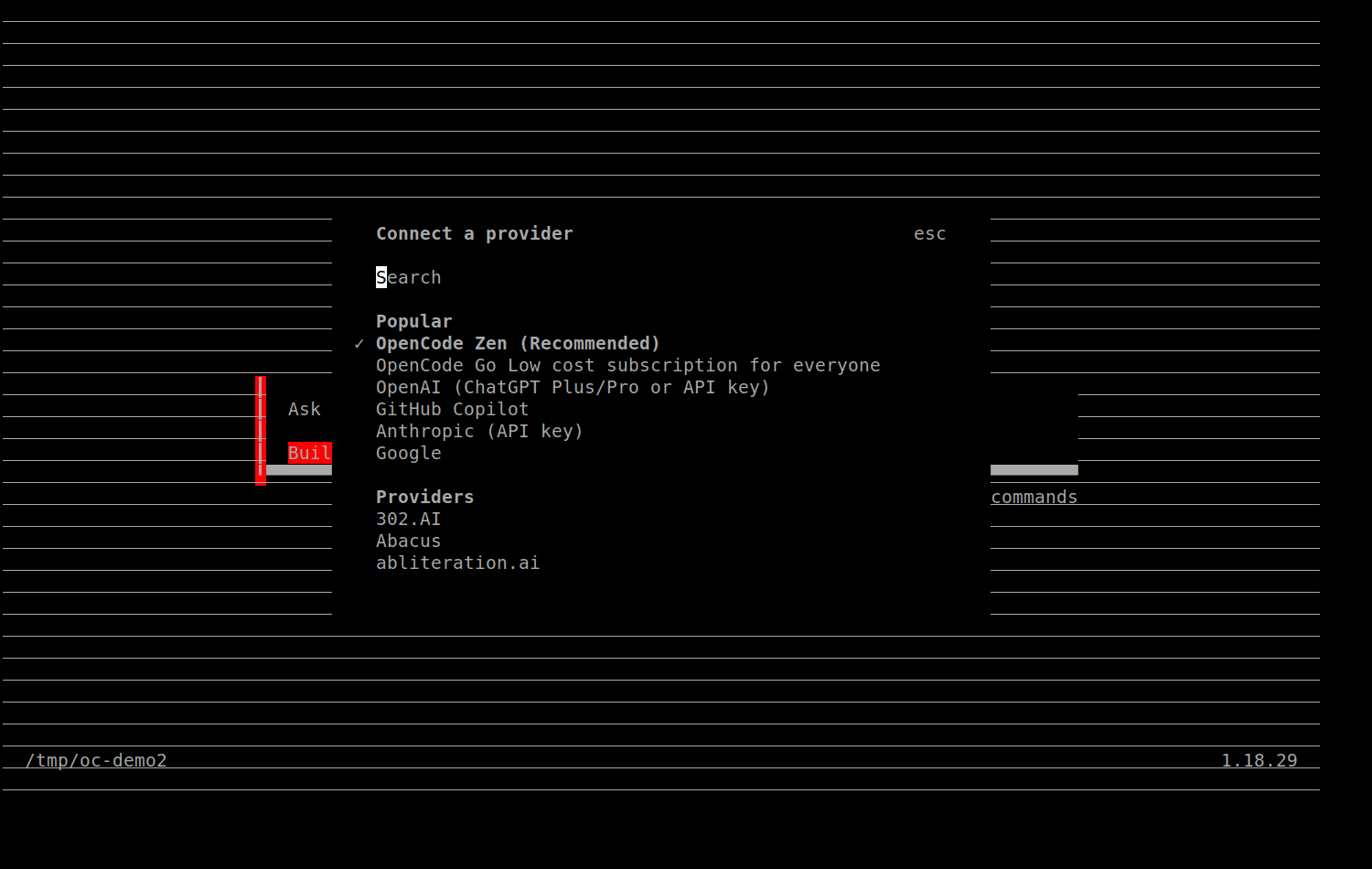
Run OpenCode, open /connect, and search for Other under Providers.
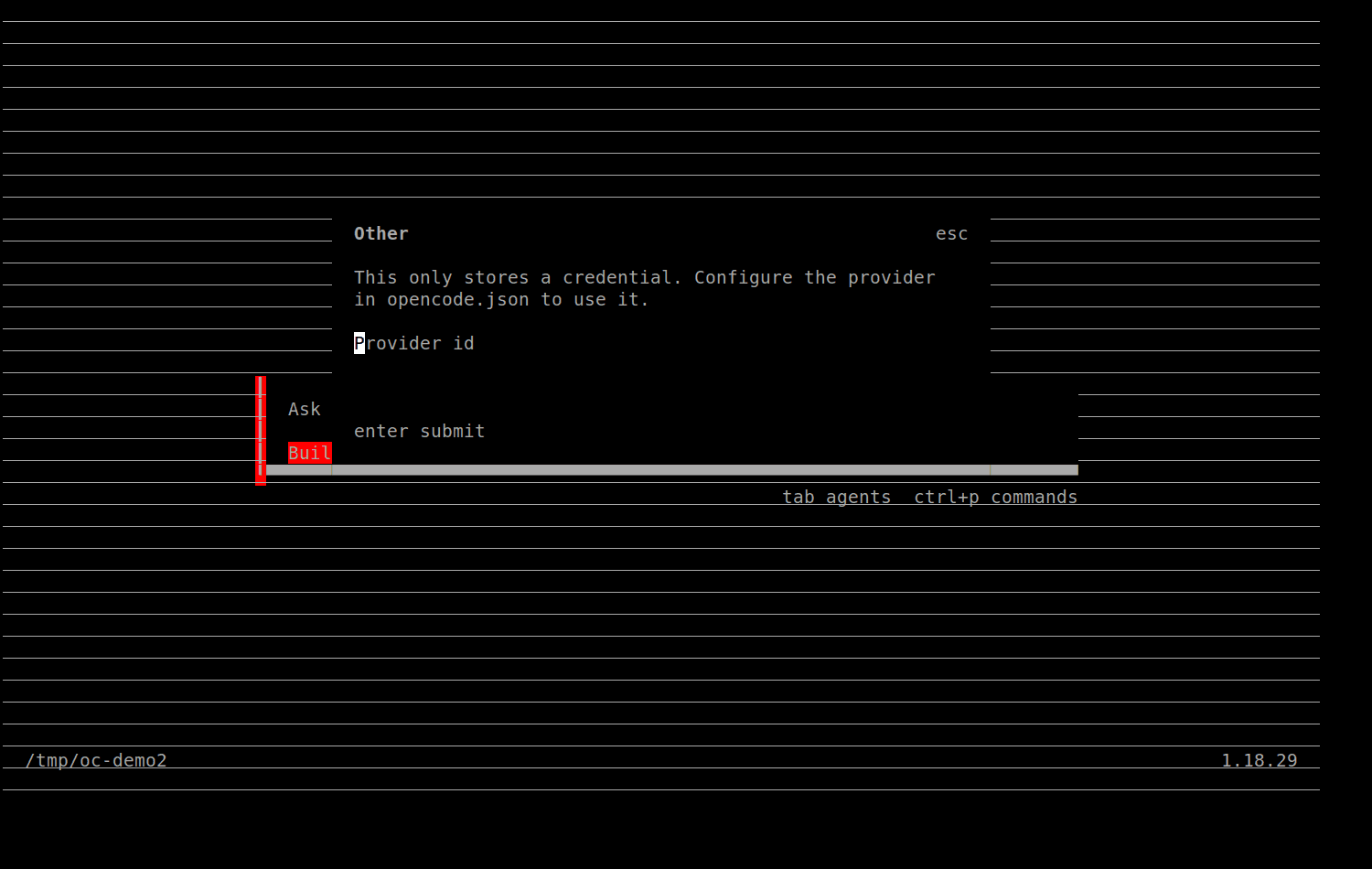
Enter the provider ID, matching the key you used in opencode.json (deepfellow in these examples).
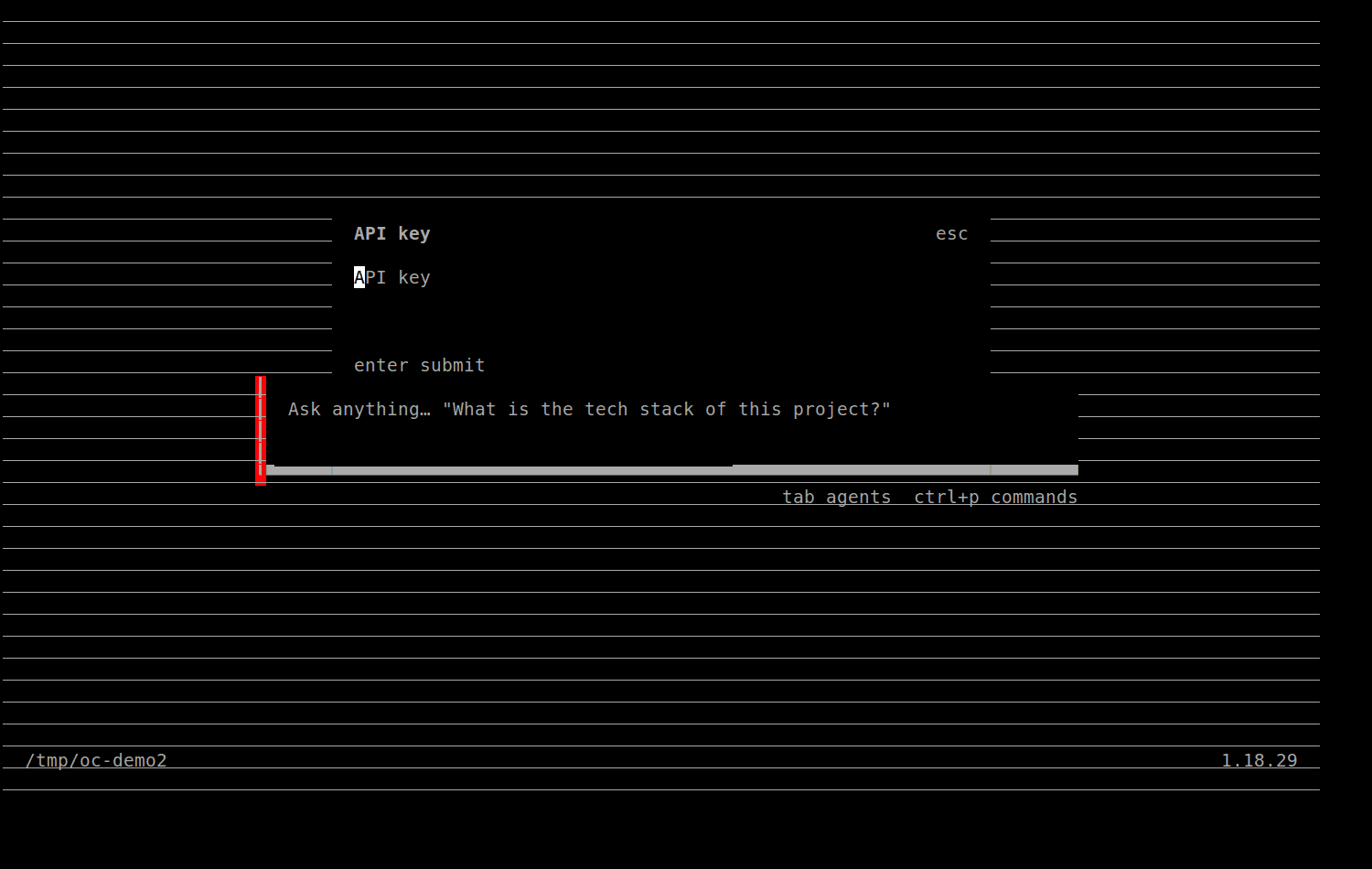
Enter the API key. opencode stores it in ~/.local/share/opencode/auth.json, separate from the config file, instead of asking you to edit anything by hand.
Check it landed with opencode auth list.
Verify the Connection
# Confirm the key and model are reachable directly:
curl https://deepfellow-server-host/v1/models \
  -H "Authorization: Bearer DEEPFELLOW_PROJECT_API_KEY"

# Confirm OpenCode sees the provider and model:
opencode models

# Run a single prompt against it:
opencode run --model "deepfellow/MODEL_ID" "Respond with exactly: OK"
Connect DeepFellow MCP Servers
DeepFellow can run and proxy MCP servers directly, exposing each one at https://deepfellow-server-host/mcp/PREFIX/mcp; see MCP Servers for how to add one through the Infra Web Panel. Add a matching entry under opencode's mcp key to give the agent those tools, using opencode's remote server type:
{
  "mcp": {
    "MCP_SERVER_NAME": {
      "type": "remote",
      "url": "https://deepfellow-server-host/mcp/PREFIX/mcp",
      "enabled": true,
      "headers": {
        "Authorization": "Bearer DEEPFELLOW_PROJECT_API_KEY"
      }
    }
  }
}PREFIXis the endpoint prefix you set when adding the server in the Infra Web Panel.- The
Authorizationheader carries the same project API key used for the provider, since DeepFellow's MCP endpoints authenticate like any other project endpoint.
The project's API key needs access to the MCP server's prefix. A new project defaults to mcp_prefixes: all; to restrict it, open the project in the Server Web Panel, click Edit Project, and either check Allow all MCP prefixes or list the specific prefixes.
Restart OpenCode after editing the config, then run /mcp inside an interactive session, or check the tool list OpenCode reports at startup, to confirm the server's tools are available.
We use cookies on our website. We use them to ensure proper functioning of the site and, if you agree, for purposes such as analytics, marketing, and targeting ads.