Plugins
Overview of the DeepFellow plugin system and built-in plugins.
The plugin system enables dynamic control over request inputs and response outputs at each endpoint.
It works by intercepting requests to and responses from an LLM in order to:
- Check the request body (e.g., to detect abuse).
- Check the request headers (e.g., header manipulations like splitting, injections, smuggling).
- Transform data (e.g., anonymize sensitive data).
- Change the style and tone of the model.
Plugins can be layered and composed to achieve modular and sequential modification of requests in a FIFO (First In, First Out) manner. Each plugin has a priority — the higher the number, the earlier the plugin runs. Priority accepts float values, such as 1.5, so you can insert a plugin between two existing priorities without changing any other plugin's configuration.
To create your own plugin, see Create Plugins.
Plugin configuration (plugins_setup) is a dynamic setting. Change it from the "Plugins Setup" section of the Server Configuration card, or with PUT /admin/config. The change takes effect immediately, without a restart. See Server Configuration.
Managing Plugins in the UI
The DeepFellow Server panel shows all available plugins with their current status. You can see which plugins are enabled and which are disabled at a glance.
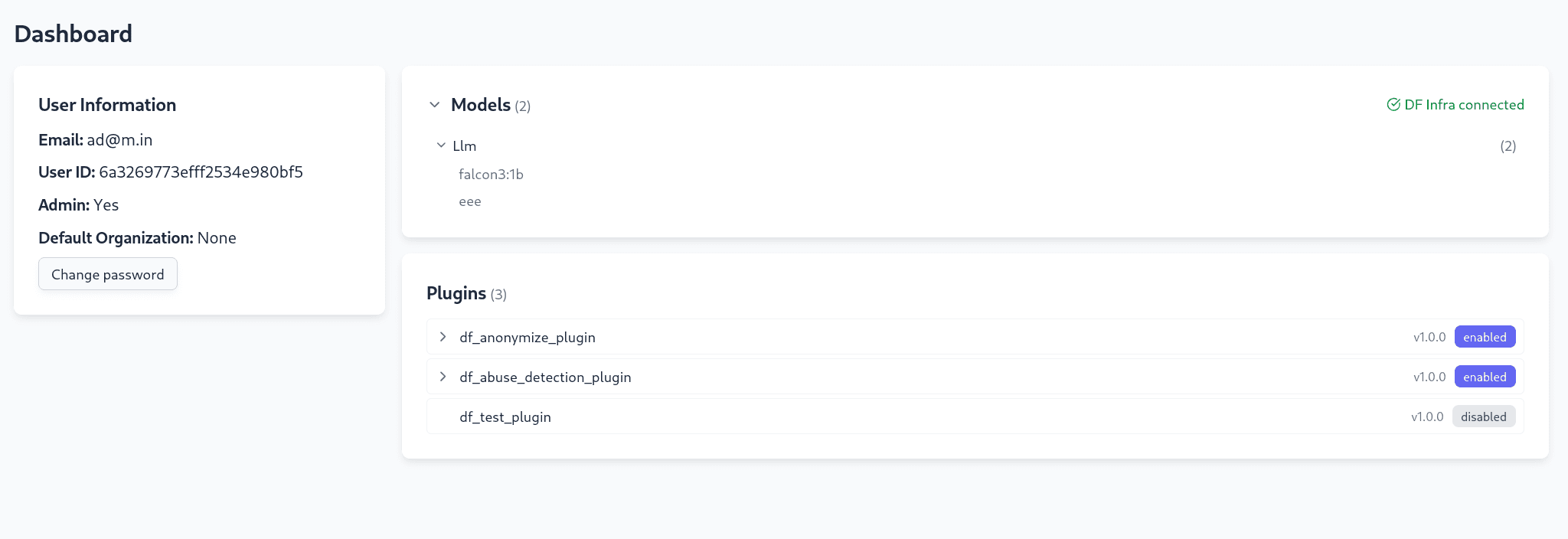
Hovering over a plugin shows the endpoints it applies to.
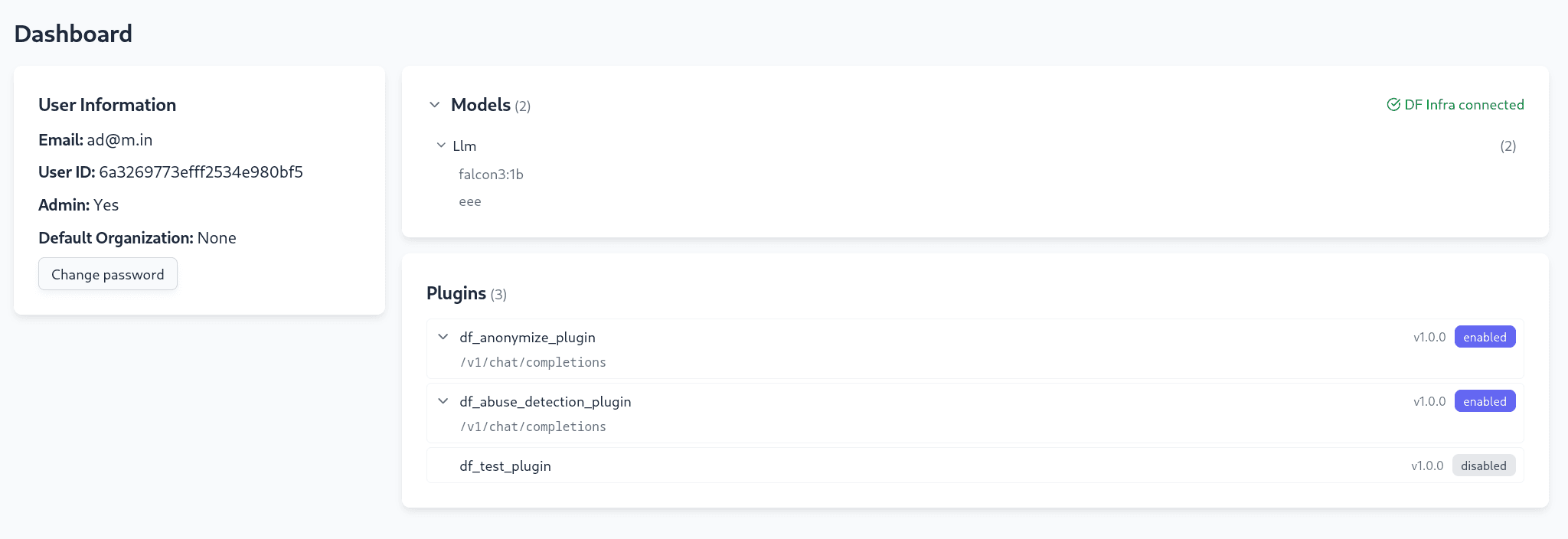
You may also see a df_test_plugin entry in the list. This is an internal development and debugging plugin, disabled by default, and it is not intended for production use.
Example: Abuse Detection and Anonymize Together
This example shows both built-in plugins running on the same request. The following plugins_setup value enables abuse detection with qwen3:1.7b and anonymization for gpt-4.1 and gpt-5:
{ "df_abuse_model": "qwen3:1.7b", "df_anonymize_models": ["gpt-4.1", "gpt-5"] }Send a chat completion request:
curl -X POST 'http://127.0.0.1:8000/v1/chat/completions' \
  -H 'accept: application/json' \
  -H 'Authorization: Bearer dfproj_dfproj_da79bf0a-a071-49a1-b002-d3a8bc1f4eeb' \
  -H 'Content-Type: application/json' \
  -d '{
  "messages": [
    {
      "content": "You are a helpful assistant.",
      "role": "system"
    },
    {
      "content": "Hello!",
      "role": "user"
    }
  ],
  "model": "gpt-4.1",
  "stream": false
}'
The server logs show both plugins executing in order — abuse detection first, then anonymization:
INFO:     DFAbusePlugin: Abusive level: 0.0
INFO:     DFAbusePlugin: Accepted
INFO:     DFAnonymizePlugin: Anonymizing request
INFO:     DFAnonymizePlugin: Deanonymizing response.
INFO:     127.0.0.1:58918 - "POST /v1/chat/completions HTTP/1.1" 200 OK
The abuse score of 0.0 means the content is clean. The request then passes to the Anonymize plugin, which replaces any PII before forwarding to the model and restores it in the response.
Built-in Plugins
DeepFellow Server ships with two built-in plugins, Abuse Detection and Anonymize, enabled by default and ready to configure. It also ships with two experimental Threat Intelligence plugins, disabled by default. See Threat Intelligence Guards (Experimental) for details.
Abuse Detection
The df_abuse_detection_plugin checks every chat completion request for abusive content before it reaches the model. It sends the full conversation to a configurable LLM, which returns a score between 0.0 and 1.0. If the score meets or exceeds the configured threshold, the request is rejected with HTTP 422 Unprocessable Entity.
Detected content types:
- Hate speech and discriminatory language
- Harassment, bullying, and threatening behavior
- Explicit violence and graphic content
- Sexual harassment and inappropriate sexual content
- Doxxing and malicious sharing of personal information
- Spam and malicious links
- Self-harm and suicide-related content
- Cyberbullying and targeted harassment
- Negative or disparaging content about another person
- Insulting or demeaning poems about a person
Scoring scale:
| Score | Meaning |
|---|---|
| 0.0 – 0.2 | Clean content, no abuse detected |
| 0.3 – 0.4 | Minor concerns, borderline inappropriate |
| 0.5 – 0.6 | Moderate abuse, clearly inappropriate |
| 0.7 – 0.8 | High abuse, severe violations |
| 0.9 – 1.0 | Extreme abuse, immediate action required |
Configuration via the plugins_setup dynamic setting. See Server Configuration.
| Key | Required | Default | Description |
|---|---|---|---|
df_abuse_model | Yes | — | Name of the model used for abuse scoring |
df_abuse_threshold | No | 0.5 | Float threshold above which a request is blocked |
Example configuration:
{ "df_abuse_model": "llama3.1:8b", "df_abuse_threshold": "0.6" }When abuse is detected, the plugin adds the X-PLUGIN-df_abuse_detection_plugin response header with the plugin version.
This plugin runs with priority
100.0and applies only to the/v1/chat/completionsendpoint.
The model set in
df_abuse_modelmust be available in your DeepFellow Infra instance. If the model is unavailable or not configured, abuse detection is silently skipped and all requests pass through.
Anonymize
The df_anonymize_plugin removes personally identifiable information (PII) from messages before they reach the model. After the model responds, the plugin restores the original values so your application receives the real data. The process is transparent to both the caller and the model.
Detected entity types:
The plugin uses the spaCy en_core_web_sm model for named entity recognition, and regular expressions for structured patterns.
| Source | Entity types |
|---|---|
| spaCy NER | PERSON, ORG, GPE (countries, cities, states), MONEY, DATE, TIME, PERCENT |
| Regex | EMAIL, PHONE (US format), SOCIAL_SECURITY (SSN: XXX-XX-XXXX) |
Each detected entity is replaced with a numbered token, for example <PERSON_1> or <EMAIL_2>. Tokens are consistent within a single request: the same original value always maps to the same token.
Configuration via the plugins_setup dynamic setting. See Server Configuration.
| Key | Required | Description |
|---|---|---|
df_anonymize_models | Yes | List of model names for which anonymization applies. Requests using any other model are passed through unchanged. |
Example configuration:
{ "df_anonymize_models": ["llama3.1:8b", "mistral:7b"] }The plugin supports both streaming and non-streaming responses. When anonymization occurs, it adds the X-PLUGIN-df_anonymize_plugin response header with the plugin version.
This plugin runs with priority
1and applies only to the/v1/chat/completionsendpoint. It executes after the Abuse Detection plugin on the way in, and before it on the way out.
Threat Intelligence Guards (Experimental)
DeepFellow Server includes two experimental plugins, df_ti_input_guard and df_ti_output_guard, that connect to an external Threat Intelligence service. They belong to the Threat Intelligence capability listed as coming soon in Key Elements, and DeepFellow Server ships both disabled by default.
- The
df_ti_input_guardplugin scans the user's prompt before it reaches the model. - The
df_ti_output_guardplugin scans the model's response before it reaches the caller.
Each plugin sends the relevant text to a named Threat Intelligence workflow for evaluation. If the workflow reports the content as unsafe, the plugin rejects the request with HTTP 403 Forbidden.
Enable or disable each plugin from the Server panel, the same way you manage Abuse Detection and Anonymize. Unlike those two plugins, the ti_url, ti_api_key_env, ti_workflow_name, and ti_fail_open settings live in the plugin's own configuration file, not in the plugins_setup dynamic setting.
| Key | Description |
|---|---|
ti_url | Base URL of the Threat Intelligence service |
ti_api_key_env | Name of the environment variable that holds the Threat Intelligence API key |
ti_workflow_name | Name of the Threat Intelligence workflow that evaluates the text |
ti_fail_open | When true, the plugin will let the request through if the Threat Intelligence service is unreachable. When false (the default), the plugin will reject the request in that case. |
Both plugins run with priority
2and apply only to the/v1/chat/completionsendpoint.
These plugins require a separate Threat Intelligence service that DeepFellow does not include yet. Treat them as an early preview, and confirm your Threat Intelligence workflow's behavior before you enable either plugin in a production environment.
We use cookies on our website. We use them to ensure proper functioning of the site and, if you agree, for purposes such as analytics, marketing, and targeting ads.